This page includes:
About connecting Google Workspace email services
You can integrate FortiMail Workspace Security with Google Workspace. This enables FortiMail Workspace Security to protect incoming email to Google Workspace.
|
Note:
|
|
Important: Make sure that Google Workspace "comprehensive mail storage" is disabled before implementing an integration with Google Workspace. If "comprehensive mail storage" is enabled, Malicious emails may not be successfully quarantined. To disable Google Workspace "comprehensive mail storage":
For more information about Google Workspace "comprehensive mail storage", see the official documentation here. |
The Google Workspace connection procedure
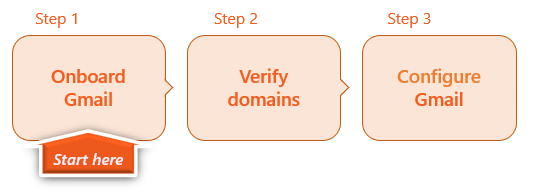
Perform the following procedure to integrate Google Workspace with FortiMail Workspace Security:

|
|
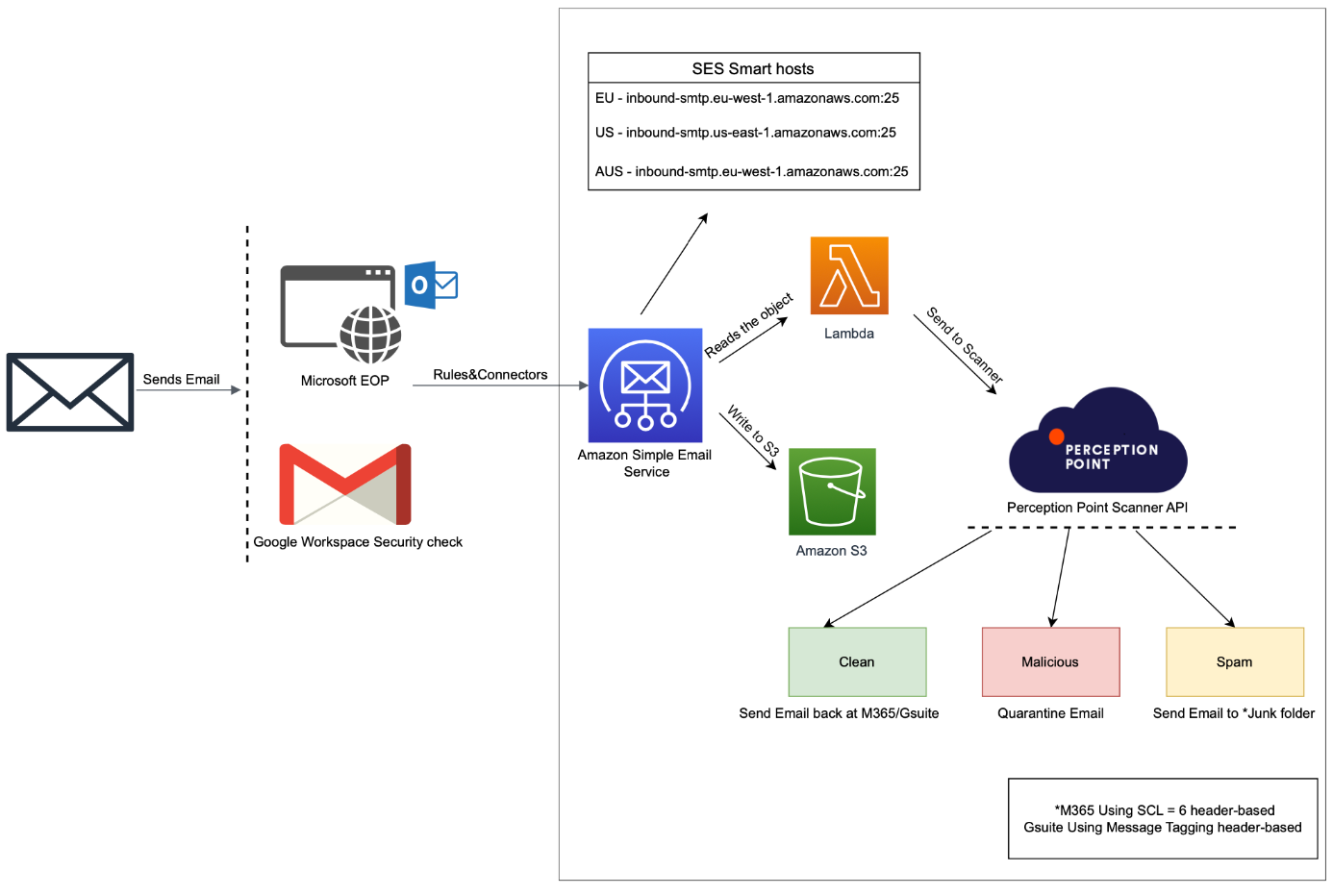
 See the available
 Flow chart diagram
Automatic calendar events
Scenario
-
You have a Google Workspace integration.
-
An email is determined to be malicious - and is quarantined.
-
The email includes a calendar event - typically as a .ics attachment.
Results
-
The event is automatically added to the user's calendar. This occurs as soon as the email reaches the Google Workspace servers - before the email is scanned by FortiMail Workspace Security.
-
FortiMail Workspace Security is unable to delete the event from the calendar.
Workaround
To stop Google from automatically adding invitations or events from emails, an administrator can perform the following configuration - for everyone in the organization (or for specific departments/teams):
-
Sign in to the Google Admin Console.
-
Go to Menu > Apps > Google Workspace > Calendar.
-
Click on Advanced Settings.
-
(Optional) If you want to change this for a specific team only, select the Organizational Unit (OU) or Group from the list on the left.
-
Find the section labeled "Add invitations to calendar".
-
Select one of the following options:
-
Invitations users have responded to via email: This is the more restrictive and cleaner option.
-
Invitations from known senders: This allows invites from colleagues or people in their contacts but blocks strangers.
-
-
Click Save.
 Workaround: For end-users
To stop Google from automatically adding invitations or events from emails, end-users can perform the following configuration:
-
Open Google Calendar in your Chrome browser.
-
Click the Gear icon (Settings) in the top right and select Settings.
-
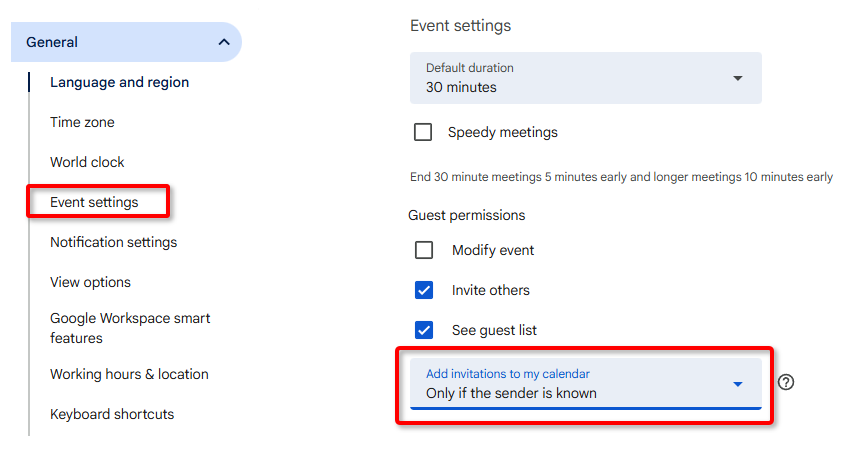
In the left-hand sidebar, click on General > Event settings.
-
Find the setting labeled "Add invitations to my calendar."
-
Change the dropdown to either:
-
Only if the sender is known
- or -
-
When I respond to the invitation in email
Note: This ensures that an event only shows up once you’ve clicked "Yes" or "Maybe" in the actual email.
-
Comparing the Google Workspace Inline and API integration methods
The table below should help you to choose the better integration method for your scenario - Inline or API...
|
|
Inline |
API scanning |
|---|---|---|
|
1 |
Operates in prevention mode: Scans and blocks malicious emails pre-delivery |
Operates in detection and remediation mode: Scans emails in parallel with the delivery of the emails |
|
2 |
More complex onboarding procedure - typically requiring addition of a domain, verifying a TXT record, and running an automation script |
Simpler and quicker onboarding procedure - typically requiring just 3 mouse-clicks |
|
3 |
Requires adding a TXT record to the DNS |
Adding a TXT record is not required |
|
4 |
Adds an extra hop to the email |
Scans in parallel and therefore doesn't add a hop |
|
5 |
End users won’t see any emails with malicious scan verdicts in their Inboxes |
End users may see malicious emails in their Inboxes for a few seconds - before the scan is completed and the email is quarantined |
|
6 |
Supports billing for full protection of a Google Workspace account only - not for partial protection |
Supports billing for full or partial protection of a Google Workspace account |
|
7 |
Allows remediation |
Allows remediation |
|
8 |
Supports scanning of inbound, internal*, and outbound* email * Performed using Google Workspace API scanning |
Supports scanning of inbound, internal, and outbound email |
|
|
For details, see Step 1 - Onboarding Google Workspace [Inline] |
For details, see Onboarding Google Workspace [API] |
See also:
