|
Note: Before implementing any of the FortiMail Workspace Security API functionality, contact your Account Manager for FortiMail Workspace Security to make sure that the API functionality is included in your license. |
This page includes the following topics:
About the audit-events API
The audit-events API allows you to generate an "audit log" or an "activity log" - a list of the events that occurred in the FortiMail Workspace Security platform in your organization. You can specify the beginning and the end of the period for which events are included in the list. You can also specify a string that must be included in the event details of each included event.
For authentication requirements, and other details about the Fortinet API, see API Authentication.
For information about viewing an audit log in FortiMail Workspace Security, see Audit log.
Request URL
|
GET<PERCEPTION-POINT-URL>/api/v1/audit-events/ For additional information about formatting the above endpoint, see API URL format. |


|
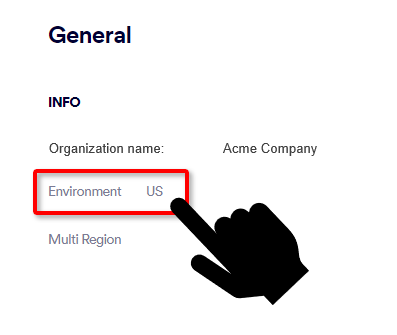
What's the environment of your organization
|
Available GET query fields
|
Field name |
Field description |
Format |
Mandatory |
|---|---|---|---|
|
start |
The unix timestamp that represents the start time of the query. Limits the results to where timestamp >= start |
10-digit epoch timestamp |
No |
|
end |
The unix timestamp that represents the end time of the query. Limits the results to where timestamp <= end |
10-digit epoch timestamp |
No |
|
_search |
Performs a search to find a specified string that is contained in any of the following event fields:
|
String |
No |
Response options
|
Parameter |
Description |
|---|---|
|
count |
The total number of events that are returned in this query. |
|
page_result_count |
The number of events that are included in this page. |
|
has_more |
Indicates if there are more events on the next page. |
|
next |
The url to get the next page of events - or null if this is the last page. |
|
results |
The list of events. Event structure
|
Response pattern
{
    "count": <total logs for query>,
    "page_result_count": <total results for this page>,
    "next": <url for next page, or null - if last page>,
    "has_more": false,
    "results": [
        {
            'id': uuid4-string,
            'timestamp': isoformat-timestamp
            'environment': environment-code,
            'performing_user': {
                'organization': number,
                'organization_name': string,
                'user': {
                    'id': number,
                    'name': string,
                    'email': email
                }
            },
            'action': {
                type=action-type (see list),
                description=string,
                target_organization=id,
                target_organization_name=string,
                // Any extra data, if applicable
            }
        }
    ]
}
Response codes
200 OK
Action types
Below are the available action-types, in alphabetic order.
|
|
Available action types |
|
|---|---|---|
|
|
|
|
Example
The following example returns all events that:
-
occurred between August 1, 2022, and August 16, 2022 - and that
-
include the name "john"
|
GET /api/v1/audit-events/?start=1659339780&end=1660635780&_search=john |
See also:
