This section includes:
About partner posture
The Partner Posture page displays a list of well-known organizations that have been impersonated in malicious emails that were received by your organization during the previous 30 days. These malicious emails fall into the following impersonation categories:
-
Domain look-alike
-
Visual similarity
-
SPF failure
- External ATO
-
Threat Hijack
For details about the impersonation categories, see Partner Posture - impersonation attack types below.
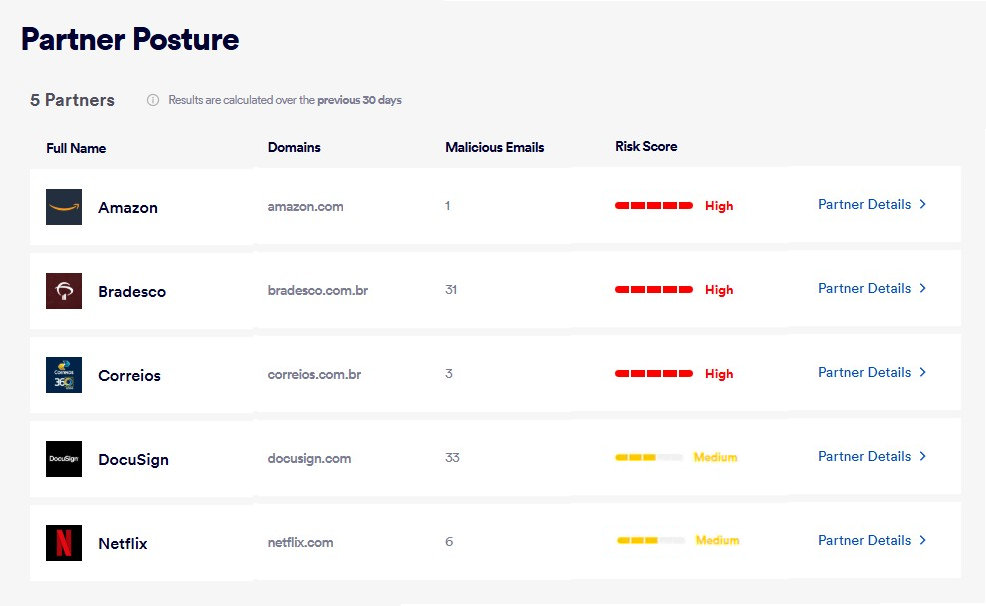
The following is shown for each partner organization in the Partner Posture list:
-
Full Name: The name of the partner organization that was impersonated.
-
Main Brand Domain: The main domain that is associated with the partner organization. If there is more than one main domain, then the number of additional main domains is indicated with a badge, such as
 [which indicates that there is a total of 3 main brand domains].
 -
Malicious Emails: The total number of malicious emails that were received by your organization during the previous 30 days, that impersonated the partner organization - out of the total number of emails received. [The malicious count includes only those emails that have attack types that are listed in Partner Posture - impersonation attack types below.
-
Risk Score: An indication of the severity of the email-risk associated with the partner organization. The risk score can be High, Medium, or Low.
The risk score is a global score that is calculated using a FortiMail Workspace Security proprietary risk scoring algorithm. This algorithm is based on all the malicious impersonation emails that were received in all the FortiMail Workspace Security organizations.
The risk score is based on the following factors for each partner organization, over the past 30 days:
-
The number of attacks detected in each of the impersonation attack-types. Each attack-type has a different weighting.
-
The total number of emails received from the "real" partner organization by all of the FortiMail Workspace Security organizations.
-
Using the Partner Posture feature
To access the Partner Posture page, click Security Operations > Partner Posture.
|
The "Partner Posture" page is available to admin users with the "Controller" or "Admin" user roles only. |
About the "partner profile"
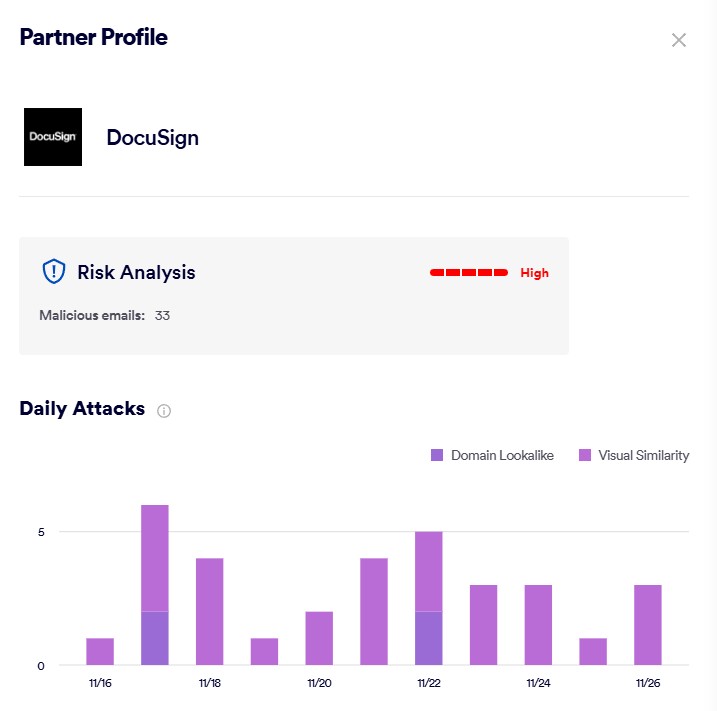
In the Partner Posture page, there is a Partner Details link on the right of the row for each partner. This link opens a pane that displays the "Partner Profile". The Partner Profile shows various risk-related details associated with the partner organization.
-
"Attack Distribution by Type" chart
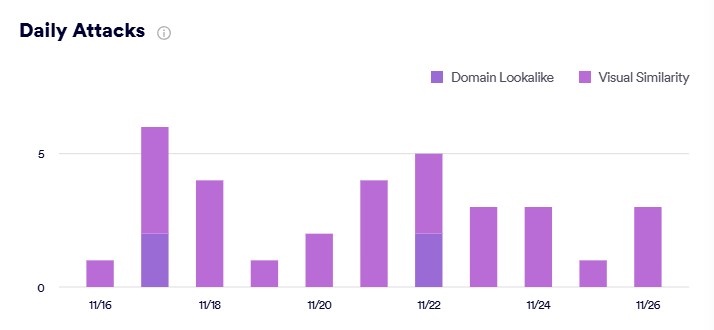
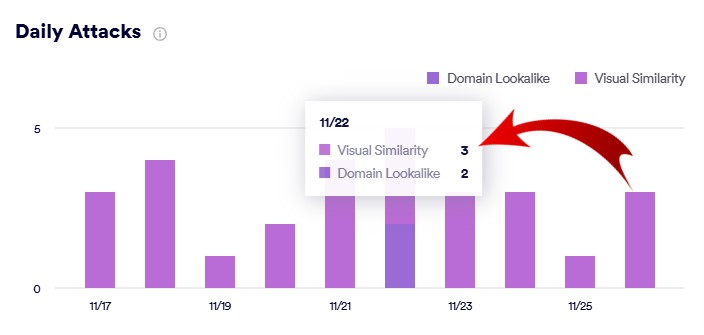
Inside the "Partner Profile", the "Attack Distribution by Type" chart shows the breakdown of the daily partner impersonation attacks, based on the attack-type, during the previous 30 days.
-
"Email Messages Trend" chart
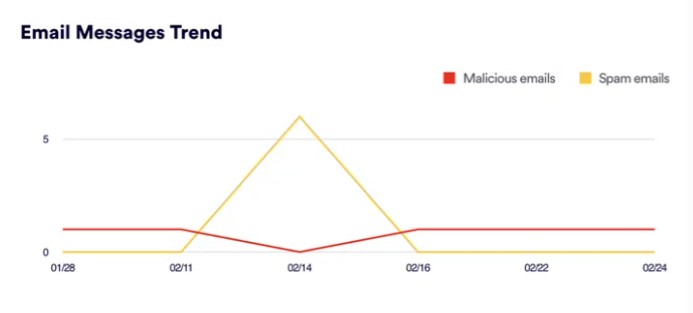
Inside the "Partner Profile", the "Email Messages Trend" chart shows the daily quantity of malicious and spam emails that were received from the partner during the previous 30 days.
-
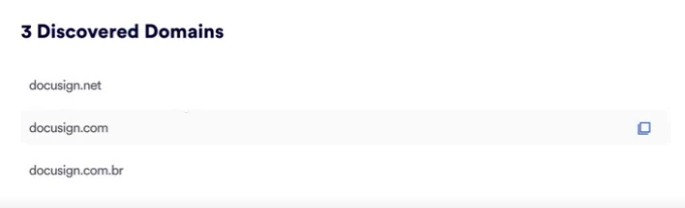
Discovered Domains
Lists all the domains that were discovered for the partner.
Partner Posture page - Summary widgets
At the top of the Partner Posture page, 3 widgets show a high-level summary of the partner posture data:
|
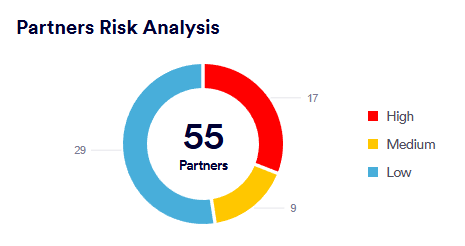
Partners Risk Analysis |
Shows a breakdown of the partners based on their risk-score: High, Medium, and Low.
|
|
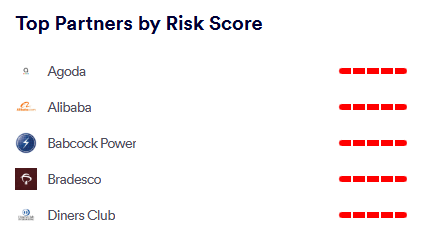
Top Partners by Risk Score |
Shows the partners with the highest risk-scores.
|
|
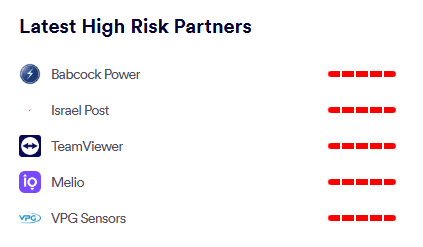
Latest High Risk Partners |
Shows the high-risk partners that had the most recent email communication with the organization.
|
Partner Posture - impersonation attack types
Partner impersonation attacks can be divided into five categories. The categories represent different techniques that attackers typically use to impersonate trusted brands:
-
Domain Look-alike: Emails are sent from domains that closely resemble a legitimate brand. Misspellings or brand-related words are used to trick users into believing the email is authentic.
-
Visual Similarity: Emails mimic the visual elements of the real brand. FortiMail Workspace Security's visual detection engine identifies suspicious or unauthorized use of a brand's visual elements, including logos, color, and layout design.
-
SPF Fail: Emails claim to come from a brand, but the technical authentication (SPF) fails. This indicates that the email was sent from a server not approved by the legitimate brand's domain policy.
-
External ATO:
-
Thread Hijack:
You can hover over any column in the Attack Distribution by Type graph to see a breakdown of the attack-types that occurred on any day.
Partner posture - who's included
The list of partner organizations in the Partner Posture page includes all well-known partner organizations that have been impersonated in malicious emails that were received by your organization during the previous 30 days.
Limitations with partner posture
-
The "Partner Posture" functionality is available to organizations with any type of integration with FortiMail Workspace Security.
-
The "Partner Posture" list shows first all the High risk scores, then Medium, and then Low. Within each risk category, the partners appear in alphabetic order. It is currently not possible to change the display order.
-
It's not possible to export or download the Partner Posture list.
See also:
