This page includes:
About configuring which online user notifications to display
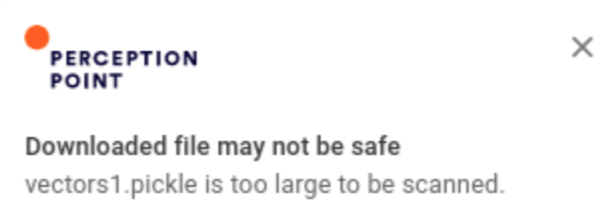
The extension uses online user notifications [toast message] to inform users of important events that occur when files are scanned to detect malicious content. You can configure which of these online user notifications are displayed, and which online user notifications are not displayed. By default, all scan-related online user notifications are displayed.
Configuring which online user notifications are displayed
To configure which scan-related online user notifications are displayed, you will need to add some of the advanced features below. For details on how to add an advanced feature, see Advanced Features.
|
Advanced feature |
Description |
|---|---|
|
shouldShowScanningFilesNotification |
When set to true, shows an online user notification when a file scan is started. Default: true |
|
shouldShowCleanFilesNotification |
When set to true, shows an online user notification when a file was scanned and found to be clean. Default: true |
|
shouldShowMaliciousFilesNotification |
When set to true, shows an online user notification when a file was scanned and found to be malicious. Default: true |
|
shouldShowBlockedFilesNotification |
When set to true, shows an online user notification when a file was blocked. Default: true |
|
shouldShowFileTooLargeNotification |
When set to true, shows an online user notification when a file is too large to scan. Default: true |
See also:
