This page includes the following topics:
FortiMail Browser Security helps users to browse the internet safely, while maintaining their productivity. FortiMail Browser Security is deployed by adding the FortiMail Browser Security browser extension to all standard browsers that require protection.
FortiMail Browser Security provides three types of security features:
-
Detection of malicious file downloads and malicious websites
FortiMail Browser Security blocks access to malicious file downloads, and to malicious or phishing websites. FortiMail Browser Security scans for malicious content each time a user:
-
downloads a file
-
browses to a web page
Scans are performed behind the scenes, without changing the user's browser experience, so that users can stay productive and safe. The results of the scans appear in the Scans page inside FortiMail Workspace Security. Remember to click the Browser filter icon [
 ] to show FortiMail Browser Security scans only.
Note: The Scans page in FortiMail Workspace Security includes the following browser scans:
-
scans of downloaded files - with any verdict
-
scans of websites accessed - with malicious verdicts only
-
-
Data loss prevention
Includes functionality such as the prevention of printing from specified domains, prevention of copying text from specified domains, and prevention of file uploads to specified domains.
-
Browser governance
Lets you prevent users from accessing websites that are in the categories that you specify, for example, "Gambling" and "Drug Abuse".
To get started with the browser extension, see:
About the FortiMail Browser Security console
The FortiMail Browser Security console lets you configure and manage how the extension operates in your organization. The FortiMail Browser Security console is a SaaS application - you can access it from within FortiMail Workspace Security.
Accessing the FortiMail Browser Security console
To access the FortiMail Browser Security console:
-
In FortiMail Workspace Security, in the left navigation menu, at the bottom, click Browser Security [
 ].
].This will open the FortiMail Browser Security console in a new browser tab.
Policies
You use policies to configure many aspects of the Browser Extension on each endpoint device. The Policies page in the FortiMail Browser Security console lets you develop and maintain the policies for your Browser Extension users. For details, see Policies
Managing end-users and administrators
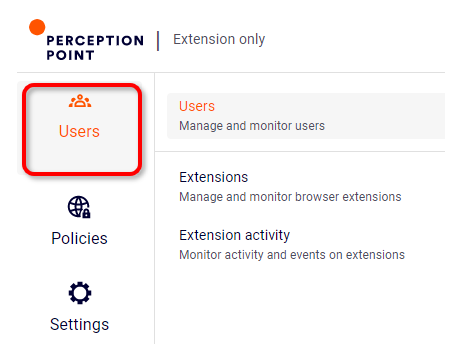
You use the Users page and the Settings page in the FortiMail Browser Security console to manage your FortiMail Browser Security end-users. You can also configure an external identity provider to manage your FortiMail Browser Security end-users.
-
Go to the Users > Users page to see and manage Browser Extension end-users. You can add new users, who will then be able to use the Browser Extension.
Administrators are managed in FortiMail Workspace Security. For details, see Admin users.
See also:
