This page includes:
About safe GenAI usage
GenAI tools are rapidly becoming part of everyday work, helping employees create content, analyze information, write code, and improve productivity. At the same time, unsanctioned AI services, personal AI accounts, browser extensions, and accidental sharing of sensitive information can introduce new security, compliance, and governance risks.
FortiMail Browser Security provides the "Safe GenAI Usage" built-in policy that is configured to provide a safe working environment for GenAI users. The "Safe GenAI Usage" policy helps organizations adopt AI responsibly by encouraging the use of approved AI services, increasing visibility into AI activity, and reducing opportunities for unintended data exposure. Rather than blocking innovation, the policy establishes practical guardrails that help users make informed decisions while enabling security teams to monitor AI usage and enforce organizational best practices.
By combining AI service governance, sensitive data awareness, extension management, and visibility into unsanctioned AI usage, organizations can support employee productivity while maintaining security, compliance, and control over how AI is used across the enterprise.
This Safe GenAI Usage policy is designed as a practical baseline for organizations beginning their AI governance journey, and can be customized to align with internal security, compliance, and acceptable-use requirements.
Key goals of the "Safe GenAI Usage" policy
-
Promote safe and responsible use of approved AI services.
-
Increase visibility into organizational AI adoption and shadow AI usage.
-
Help users recognize and avoid sharing sensitive information with AI services.
-
Reduce risks associated with unapproved AI websites and browser extensions.
-
Balance productivity and security through guidance, awareness, and policy enforcement.
Configuring the "Safe GenAI Usage" policy
Inside the "Safe GenAI Usage" policy, the settings that affect GenAI usage are located in the following tabs inside the Policies page:
-
Website Rules
-
Extension Rules
See below for details about the default website and extension rules.
Website rules
The default "Safe GenAI Usage" policy includes two website rules:
-
Rule 1: Group: Approved GenAI tools
-
Rule 2: Category: Artificial Intelligence Technology
Rule 1: Group: Approved GenAI tools
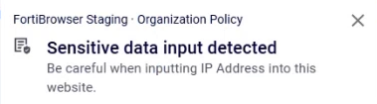
This rule is triggered when a user tries to access a web-page that is included in the "Approved GenAI Tools" destination group. The policy allows access to the domains that are defined in the Approved GenAI Tools destination group, and in addition, warns users when they enter sensitive information into any of the approved GenAI services.
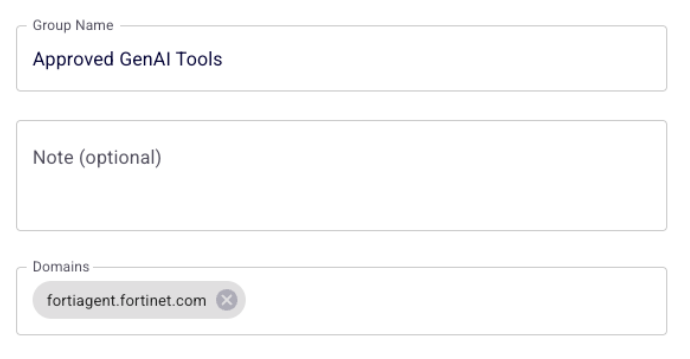
By default, the Approved GenAI Tools destination group includes the following domain:
-
fortiagent.fortinet.com
|
Note: This domain is a place-holder only - you are required to modify the list of domains for your organization. |
When accessing approved GenAI tools
|
Restrictions |
Toast |
Action |
|---|---|---|
|
|
|

-
Report events: FortiMail Browser Security will send blocked or warned events that are triggered by this rule, to the Events page in the FortiMail Browser Security console. For more information, see Report events.
Rule 2: Category: Artificial Intelligence Technology
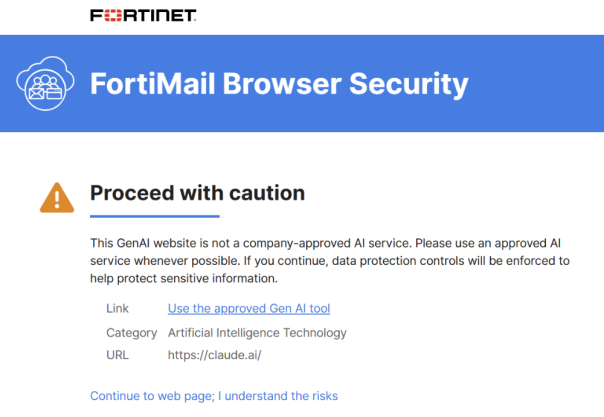
This rule is triggered when a user tries to access a web-page that is categorized by FortiMail Browser Security to be "Artificial Intelligence Technology" - and the web-page is not included in the Approved GenAI Tools destination group. By default, the user will be presented with the following warning:
-
You can customize various aspects of this warning.
-
The warning page can include a link to an approved GenAI tool. You should modify the link to your organizations approved GenAI tool, as required.
-
Because this page is by default just a warning page and not a block page, users are able to continue to the un-approved GenAI tool. You can change this page to be a block page that prevents users from accessing an un-approved GenAI tool.
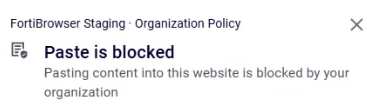
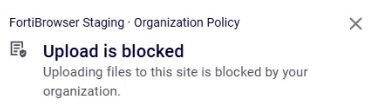
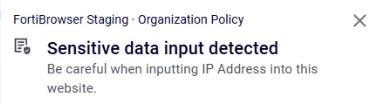
If a user chooses to continue to the un-approved GenAI tool, then various restrictions are applied to usage of the un-approved GenAI tool:
|
Restriction |
Toast |
Action |
|---|---|---|
|
|
|
|
|
|
|
|
|
|
|
|

Extension rules
The "Safe GenAI Usage" policy Includes two extension rules:
-
Rule 1: Allow Approved GenAI extensions
-
Rule 2: Disable Extensions that use GenAI
Rule 1: Allow Approved GenAI extensions
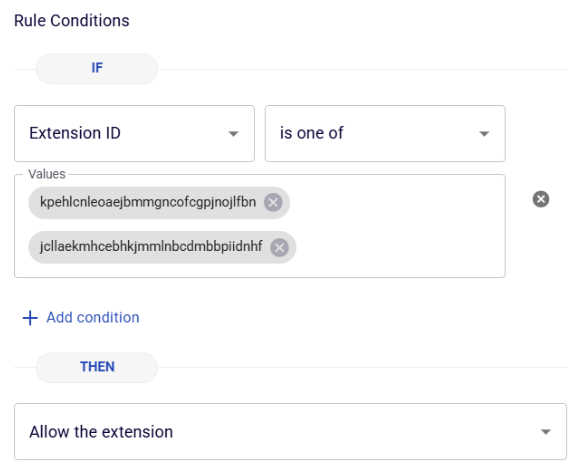
Allows approved GenAI browser extensions that are explicitly configured in this rule, helping organizations control browser-based GenAI capabilities. This rule allows GenAI powered extensions to be used only if the extension has an extension ID that is included in the rule's list of approved extension IDs.
By default, the extension IDs for the FortiMail Browser Security extension [both Google Chrome and Microsoft Edge] are included in the rule.
|
Note: These extension IDs are place-holder IDs only - you are required to modify the extension IDs for your organization. |
Rule 2: Disable Extensions that use GenAI
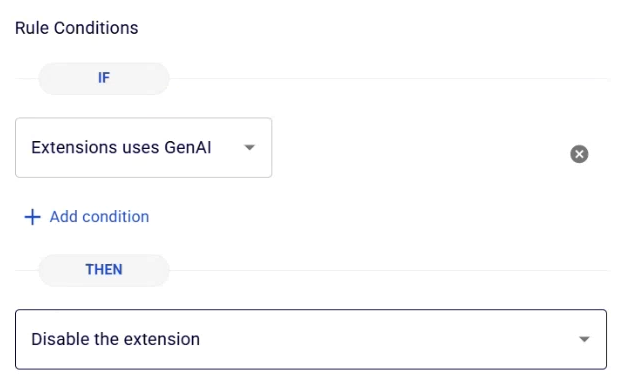
Disables extensions classified as using GenAI capabilities based on the "Uses GenAI" tag, helping organizations manage AI-related browser risks and ensure the use of approved GenAI tools.
|
Note: Because Rule 1 appears above Rule 2 in the list of extension rules, Rule 2 will apply only if Rule 1 does not apply. Therefore, an "allowed extension" that uses GenAI will not be disabled by Rule 2. |
Rule 2:
|
If "Extension uses GenAI", then "Disable the extension". |
See also:
