The Browser Security Overview page in FortiMail Browser Security lets you view organization-level activity occurring in your FortiMail Browser Security implementation.
To access the Browser Security Overview page:
-
In the left navigation pane, click Overview to display the Browser Security Overview.
The Overview shows the following information:
Key Indicators
|
Indicator |
Shows... |
Click to... |
|
|---|---|---|---|
|
|
The number of end-users that exist in FortiMail Browser Security, including all user statuses. |
Open the Users page. |
|
|
|
The number of times that users were blocked access to a website during the previous 30 days. |
Open the Events page. |
|
|
|
The total number of events that are included in the events log and that are shown in the Events page.
|
Open the Events page. |
|
|
|
The number of unique 3rd party extensions that are installed in your organization. |
Open the Extension Analysis page. |
|
|
|
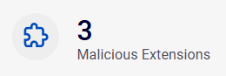
The number of 3rd party extensions that are installed in your organization - that have a malicious verdict. |
Open the Extension Analysis page. |
|
|
|
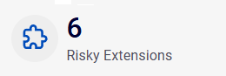
The number of 3rd party extensions that are installed in your organization - that have a high-risk spin.AI score [1-35]. |
Open the Extension Analysis page. |
Graphs
|
Note: You can click some of the graphs to drill-down to show additional or filtered details. |
|
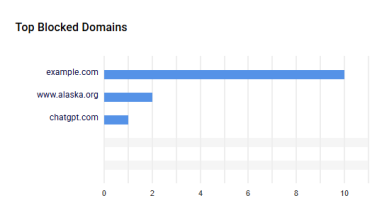
Top Blocked Domains |
|
Shows the top 5 domains that were either blocked or the user was warned before accessing - based on a policy setting. Recorded events
|
|
|
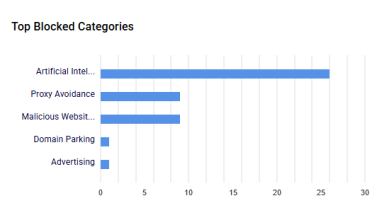
Top Blocked Categories |
|
Shows the top 5 categories that were either blocked or the user was warned before accessing - based on a policy setting. Recorded events
|
|
|
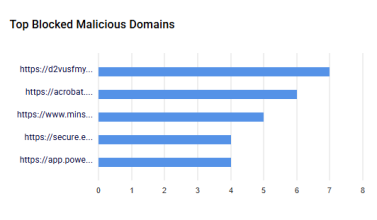
Top Blocked Malicious Domains |
|
Shows the top 5 malicious domains that were either blocked or the user was warned before accessing - based on a policy setting. Recorded events
|
|
|
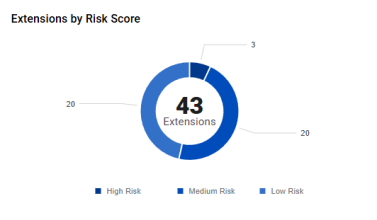
Extensions by Risk Score |
|
Shows the number of extensions with high, medium, and low spin.AI scores. |
|
|
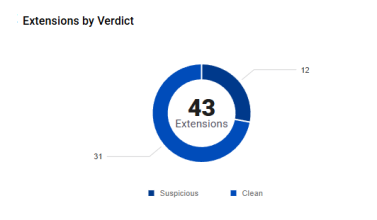
Extensions by Verdict |
|
Shows the number of extensions with Malicious, Suspicious, and Clean verdicts. |
|
|
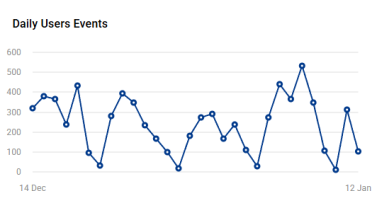
Daily Users Events |
|
Shows the number of user events that were recorded per day - over the previous 30 days. |
|
|
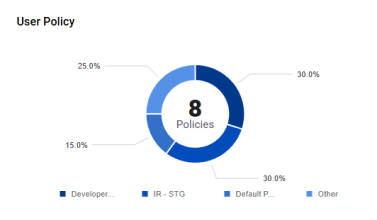
User Policy |
|
Shows the number of each of the policies that are assigned to users. |
|
|
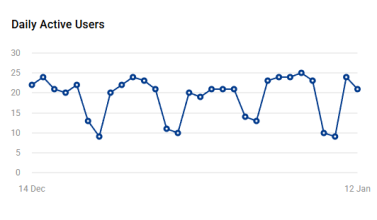
Daily Active Users |
|
Shows the number of users that are active on a daily basis - over the previous 30 days. |
|
|
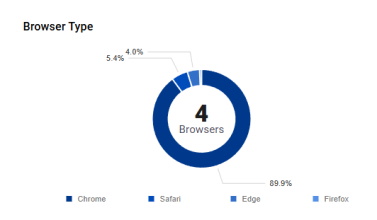
Browser Type |
|
Shows the types of browsers on which the extension is installed. |
|
|
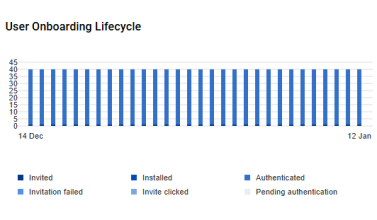
User Onboarding Lifecycle |
|
Shows the quantity of users in each user status - over the previous 30 days.
|
See also:
